
iRaiser Payment System (IPS) by Stripe
Activate or update your IPS account
iRaiser Payment System (IPS) is powered by Stripe, a globally trusted payment infrastructure. Follow the steps below to activate or update your account and collect donations securely.
ℹ️If you received an email titled “iRaiser Payment System - Onboarding link” or “[Action required] Update your information...”, you are in the right place.
The link securely connects to Stripe, our trusted payment processing partner. This is a standard step to create or update your account, and our support team is always here if you need any assistance along the way.
You need help with :
In this guide
Email, phone verification & account setup
Documents & Information Submission
Organisation details, legal representative (director) & verification documents
Review timeline & common pending actions
iRaiser products are connected with Stripe to allow you to collect donations through secure transactions.
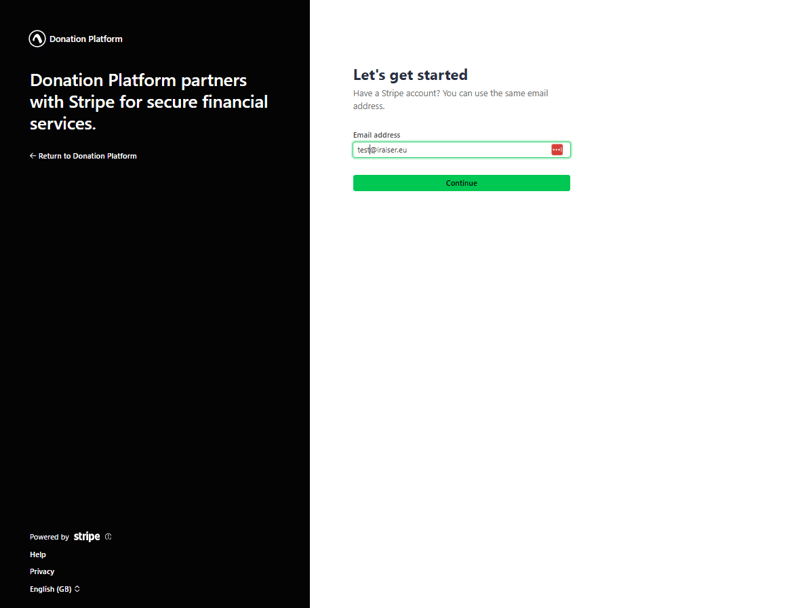
✉️ Enter your email address
This is the email that will be permanently linked to your Stripe account. If possible, use a generic email address from your organisation (e.g. contact@org.com).
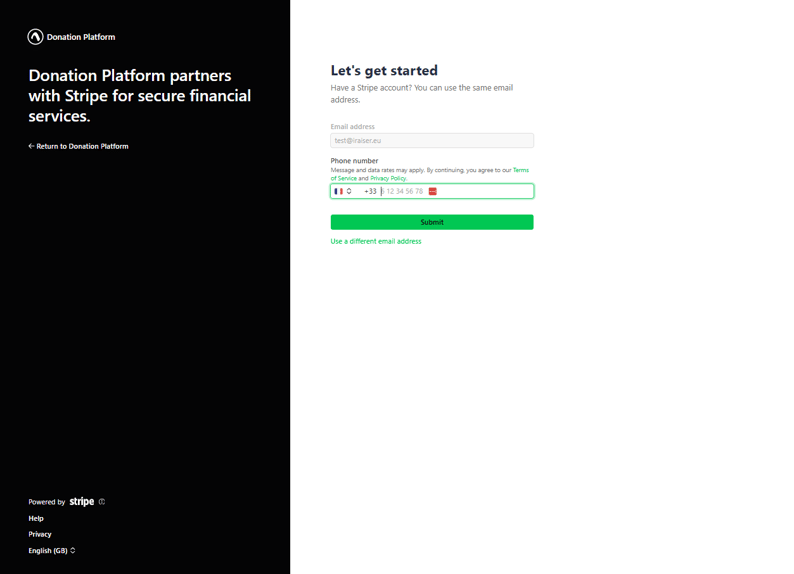
📱 Add a mobile phone number
Stripe uses two-step verification to keep your account secure. You will need an active mobile number for SMS verification each time you log in.
🔢 Confirm your phone number
Enter the 6-digit code sent via SMS to the phone number you registered in the previous step.
Organisation
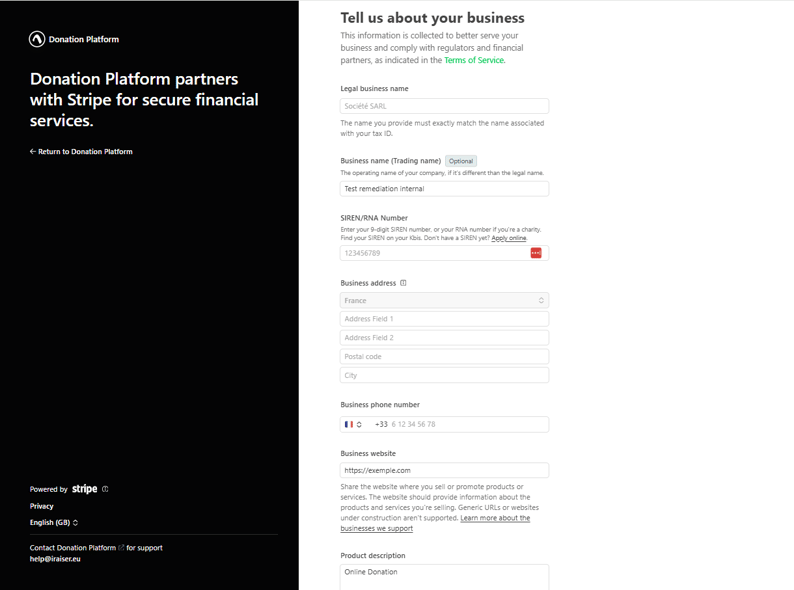
🏢 About Your Organisation
Add the relevant information regarding your organisation. You might be asked to provide:
📄 Business verification document
E.g. Certificate of registration, Articles of association
For the specific list of acceptable documents for your country, check Stripe documentation
This document should include:
✓ Full company legal entity name — that matches the one filled on the form.
✓ Tax ID from the local tax authority — that matches the one filled on the form.
✓ Company address — that matches the one filled on the form.
Legal Representative (Director)
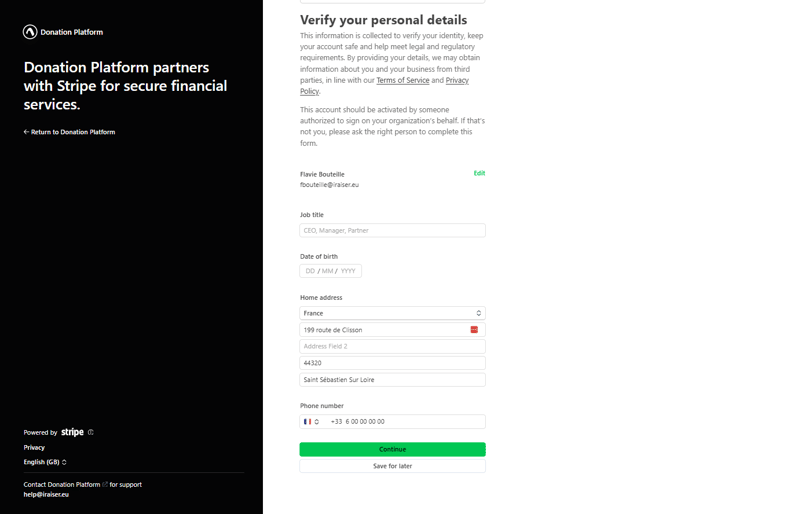
👨💼 About Your Legal Representative (Director)
You will need the details of your organisation's representative details to complete the signup process.
Who is the legal representative (Director)?
The representative of a non-profit organisation is defined by the person detaining power over the organisation, in most cases the president. In doubt, you can refer to the status of your organisation.
📄 Identity document
E.g Passport, Driving licence, ID card
For the specific list of acceptable documents for your country, check Stripe documentation
This document should include:
✓ Full legal name — that matches the one filled on the form.
✓ Date of birth — that matches the one filled on the form.
✓ Photo of the person (except where exclusions apply)
📄 Proof of address
E.g Utility bill (less than 6 months old), Taxation notice (less than 12 months old), Proof of home insurance (less than 6 months old)
For the specific list of acceptable documents for your country, check Stripe documentation
This document should include:
✓ Full legal name — that matches the one filled on the form.
✓ Personal address — that matches the one filled on the form.
✓ Date within the acceptable range specified
📄 Relationship document
E.g Eletronic attestation, Status, General Assembly Minutes
For the specific list of acceptable documents for your country, check Stripe documentation
This document should include:
✓ Legal entity name
✓ Representative of the organisation and their position
💡We recommend choosing the Electronic attestation.
Simply review the Stripe-generated document to confirm the Organisation and Representative names match your details, then sign.
Stripe will review your information. Accounts are typically validated within 48 hours. You'll be contacted if anything else is needed.
Common pending actions
After submitting, we may contact you if additional documents or information are needed from Stripe:
Complete director or owner information
Stripe may request additional details about a director or Board member. Reach out to the relevant person to gather this information.
Provide additional documentation
Stripe may request identity documents, proof of address, or business registration documents to complete verification.
✉️ Enter your email address
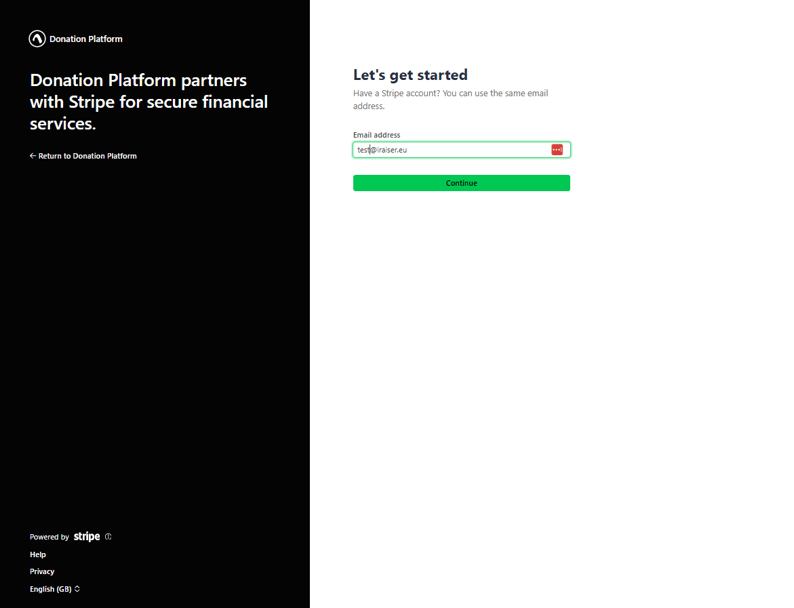
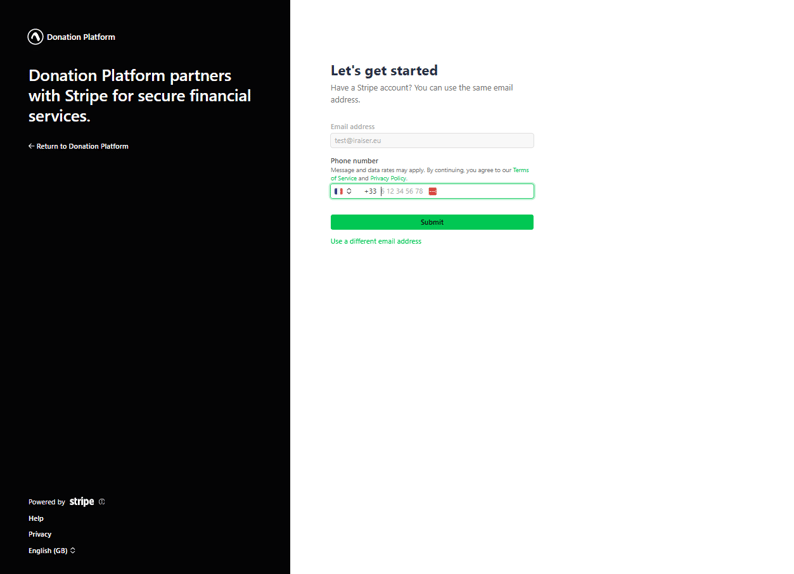
📱 Add a mobile phone number
Stripe uses two-step verification to keep your account secure. You will need an active mobile number for SMS verification each time you log in.
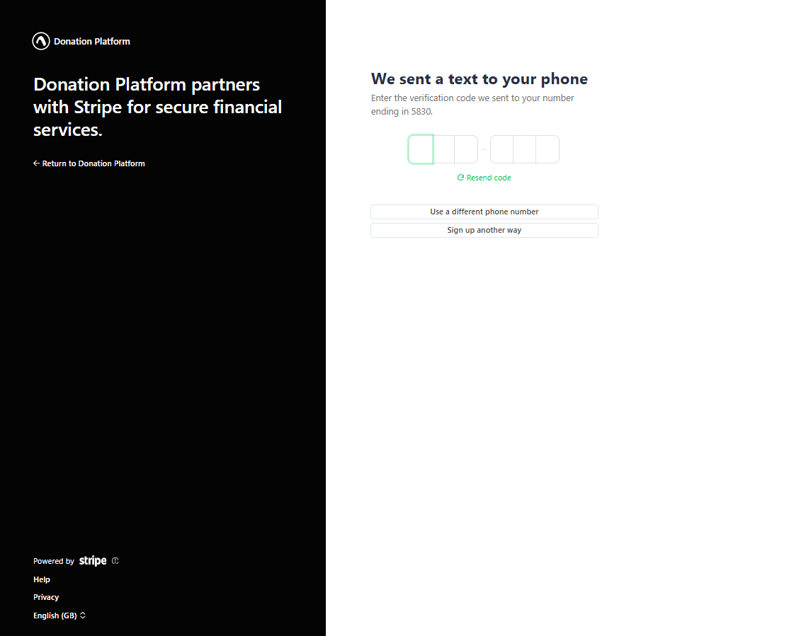
🔢 Confirm your phone number
Enter the 6-digit code sent via SMS to the phone number you registered in the previous step.
First time identifying?
Stripe may ask you additional questions to verify your connection to this organization and ensure you are legitimate to access this Stripe form.
❓ Extra security question
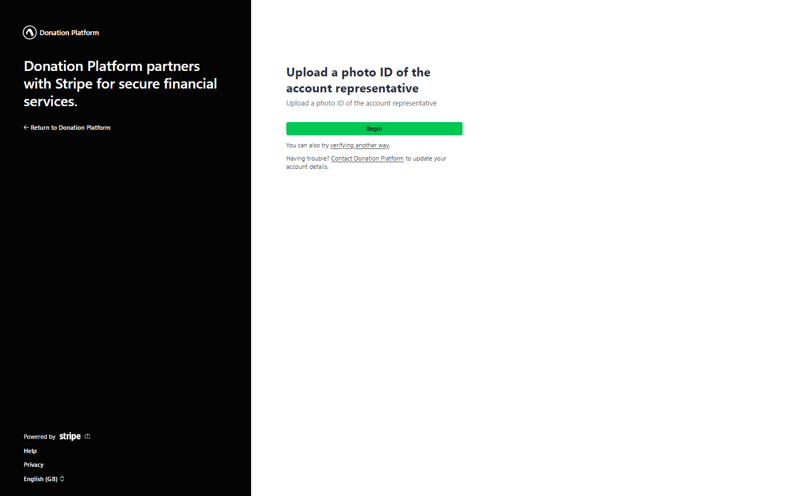
🪪 Identity Verification
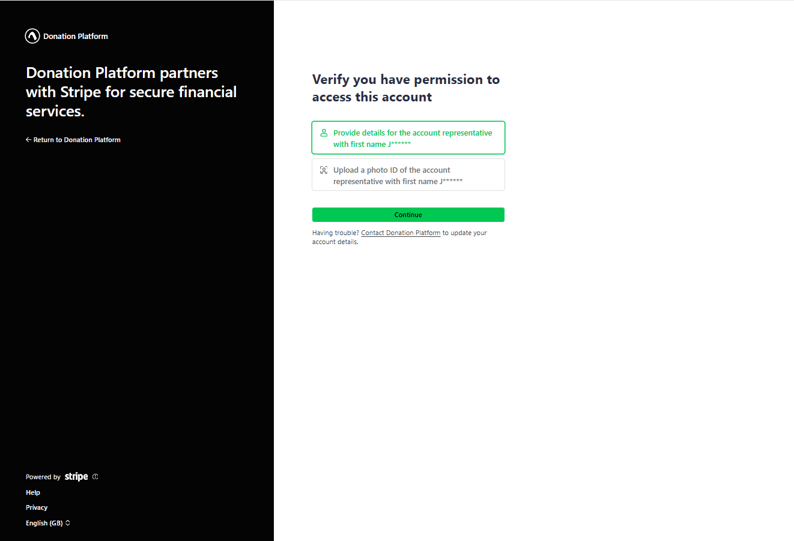
Stripe will need to check if you are allowed to access this account:
➡️ By default, you'll be asked to upload a photo ID of your account's representative.
➡️ If you'd prefer not to do this, you can select "Verify another way." This gives you the option to either continue with document upload or instead provide information about your business and its representative.
➡️ Note that this alternative method may include questions about your business's previous payouts or about your representative, so it's a good idea to have your accounting team or representative on hand in case additional details are needed.
In this guide
Email, phone verification & security questions
Review forms & submit verification documents
If you received an email 'Action required' with a link to update you Stripe account, it mean an action is required to insure your account is functionnal
Check our dedicated section : Identification
You can now submit your update
Review and complete the forms presented. Stripe will guide you through the specific fields that need updating. You can also edit non-required fields at this stage if needed.
Check the summary page to confirm all fields are complete. If any remain outstanding or pending verification, they'll be highlighted for you to address.
Common verifications
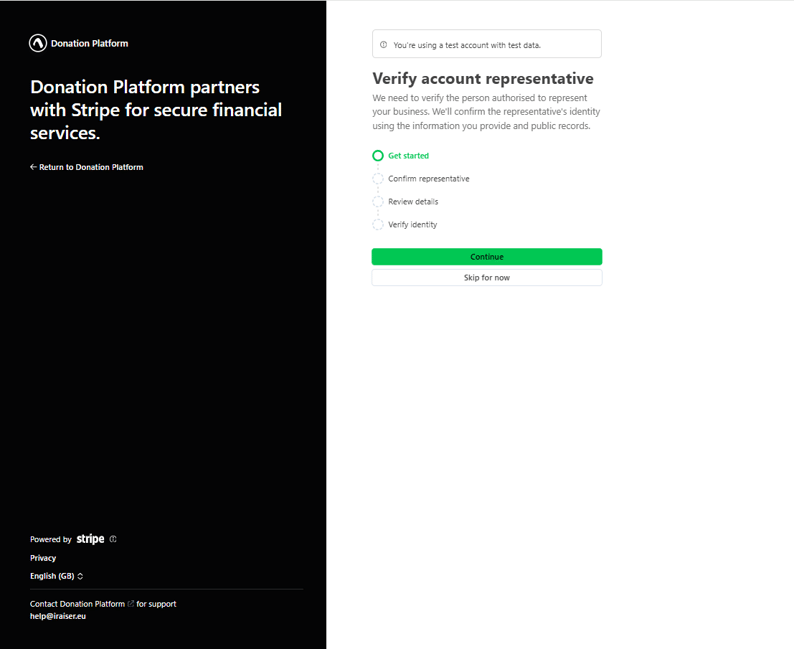
👤 Verify your representative (Director)
Prove the identity or address of your representative.
ID, address proof…
🏢 Verify your business
Prove the legitimacy of your business.
Status of the organisation, Minutes, Publication in official records…
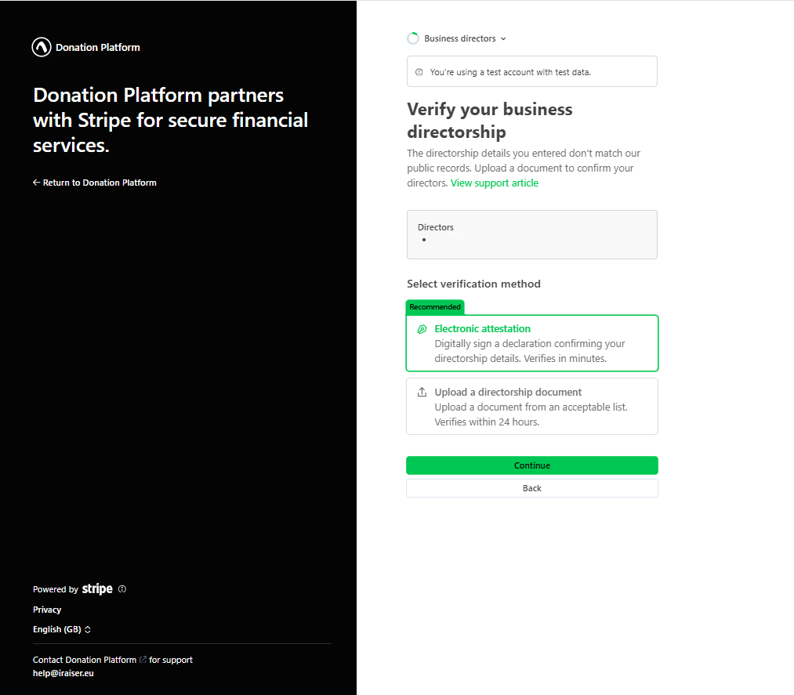
👨💼 Verify your business director
Prove the relationship between your organisation and your representative (Director).
Status, minutes…
💡We recommend choosing the Electronic attestation.
Simply review the Stripe-generated document to confirm the Organisation and Representative names match your details, then sign.
🔗 Click here to see the section 'Documents and information submission'
Who is the legal representative (Director)?
The legal representative (Director) of a non-profit organisation is defined by the person detaining power over the organisation, in most cases the president. In doubt, you can refer to the status of your organisation.
Need more help?
Need help with your setup?
Our support team is here to help you. Write us at help@iraiser.eu or create a ticket here: